Introduction:
In the next 12 months, the biggest paychecks won’t go to people with fancy degrees or fancy titles. They’ll go to the ones who master AI skills that matter. They’ll go to solopreneurs who single-handedly solve problems with AI. What we’re seeing right now is that entry-level jobs are being disrupted. Software is becoming a commodity.
I recently interviewed the founder of Replit, and he told me about people who just vibe-coded companies that are making millions, and basically, what they’re doing is building on top of ChatGPT. Yes, they’re wrapping it beautifully, but a lot of AI companies that we see these days are basically a set of prompts for ChatGPT, and they’re making hundreds of thousands of dollars. I personally know some of those people. So what makes these people different? Number one, a deep understanding of their target market and customers. They are solving problems for a very particular group of people. A lot of those people are solving problems they once experienced. Number two, AI skills. They know exactly what tool to use, how to use that tool to quickly build a product of their dreams, or automate a function at a top level.
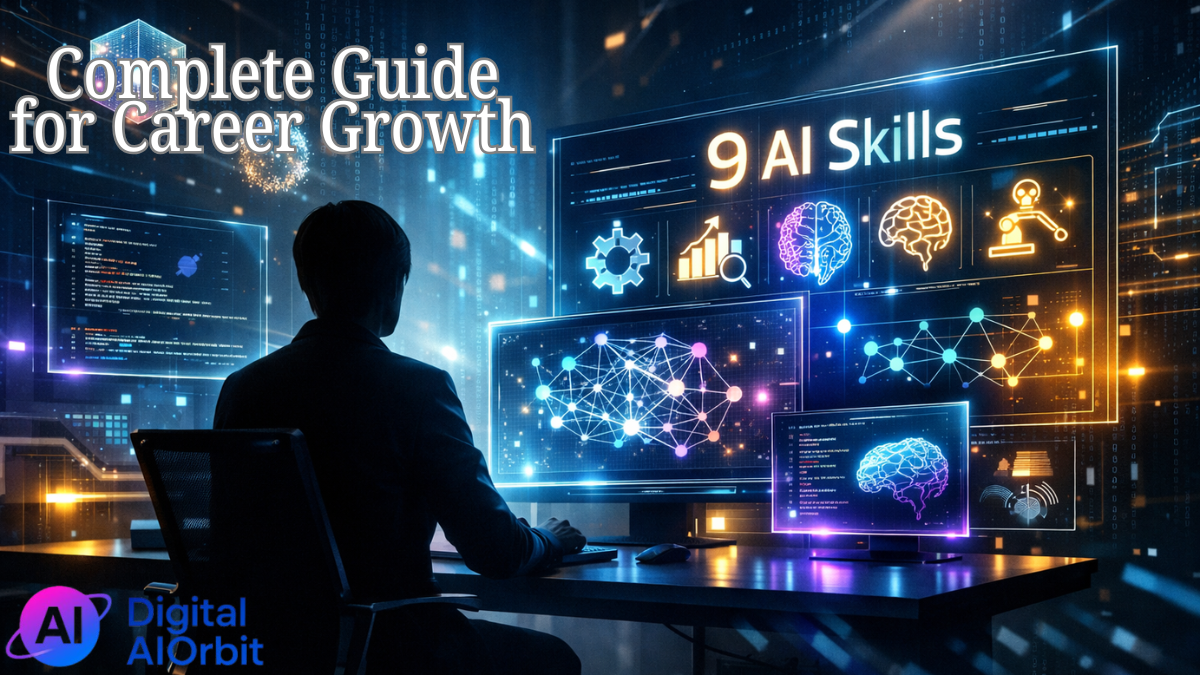
In this article, I’ll break down nine AI skills anyone can start from zero. They’ll help you work faster, earn more, and maybe even build the next billion-dollar company. And trust me, the last one is a total game-changer.
No Code AI App Development:
Something that I’ve mentioned already in this article. It’s just fascinating how today you don’t need to be a programmer to launch your own AI-powered product. While I was talking to the founder of Replit, he mentioned that Replit is one of the products that you can use. I was actually vibe coding something, and he was like your prompts are not good enough. There were some bugs. But he told me it’s going to take me 2 days to build a fully working AI app. That means I can start testing things within a week.
A simple example would be building a service that automatically writes blog posts based on YouTube videos. You choose a video that went viral and got millions of views. The app extracts the transcript. It generates an article and it publishes it on your site. Of course, you have to say like this is what I learned from this article. Refer to the author. But content creation is getting really commoditized. And you can build this app for yourself, and you can also let others use it. And there is no code involved in this.
Tools You Can Use:
Replit – I already mentioned it. It includes templates and bots. There is another platform called Agent. You can use it to build AI apps like stacking blocks. There is a company called Bolt. It’s a visual builder where you connect models and interfaces in a few clicks.
After you read this article, spend at least 10 minutes vibe coding. This skill opens the door to launching your own products. You’re not just using AI, you’re actually creating solutions that could become real businesses.
Building No-Code AI Agents:
Something that we’ve been playing with a lot recently. In the past few weeks, we built a couple of AI agents and they’re working and they’re doing things. So, basically what happens with ChatGPT, it just gives you answer. But an AI agent actually completes tasks for you. They can send emails, fetch data, publish posts, remind you of deadlines all in the background without you lifting a finger.
For example, if you have an inbox where customers reach out to you, you can build an agent that receives an incoming email from a client, checks your internal database if the client exists, composes a reply, and sends it automatically with zero input from you. Having an AI agent is like having a 24/7 employee.
Real World Application:
Last week one of our videos was not performing. And the thing that’s really working right now for a lot of people is that they post a lot of shorts that were made from that video. But for us to post 15 shorts, we would need at least two people. One person would be working with Opus clip and making sure the clips are good. Another person would be posting.
So instead of doing that, we just built an AI agent and my producer can basically click a button. It takes a video and it creates multiple shorts, not just using Opus clips algorithm, but also using ChatGPT to check whether the titles are good enough. It really speeds things up.
Think about a process that’s very repeatable, really manual. There are processes in our company where we just delegate them to my assistant. Sometimes she answers it, she’s not happy about it because she has other things to do. Now, before actually delegating to her, we would try and build an AI agent to save her time for more important tasks and to automate this process that’s really manual and doesn’t require any creativity.
Tools for Building AI Agents:
N8n – A very intuitive visual tool where you connect blocks and create an agent by doing that.
GPTs by OpenAI – You can build your own assistant inside ChatGPT by configuring instructions, functions and even actions through plugins.
Workflow Automation:
So AI agent actually learns during the process and it can change things in a workflow. If that sounds too complicated, you can just build a workflow that doesn’t think, it just follows the steps that you’ve created. If X happens, then do Y, then Z. And this becomes a workflow that runs without your involvement.
Example: Automated Short Form Content Pipeline
A good example is cutting shorts from a video that already exists on YouTube. And the way this automation works is:
- We have Google Sheets where we store links to all of our new videos
- Then we have N8n that actually runs the automation. It grabs the latest video link
- Then Clap AI automatically cuts vertical clips based on emotional peaks
- Then GPT writes clickworthy titles and descriptions for each clip
- And then we use YouTube API to upload up to 10 shorts per day with ready to go captions
No editor, no manager, just automated pipeline. And as a result, we have new videos that go live daily, creating stable traffic flow without human involvement. These are basically free ads for a podcast. Zero editing costs. So it’s basically free traffic from the algorithm.
Workflow Automation Tools:
N8n – We feel like N8n is more flexible and logic based.
Make.com or Zapier – These are visual platforms to build automations.
If you are in the production business you’re making content, Clap AI, Opus and Descript are the AI powered video generation and editing tools. Of course you use ChatGPT plus API integrations to generate titles, descriptions and tags and of course to post on different platforms.
API Integrations for AI Workflows:
Remember how I mentioned that we use API integration to publish things on YouTube? So, basically, to make neural networks truly efficient, you need to connect them to other tools like CRM, email, spreadsheets, cloud storage, YouTube, calendars. All of this becomes possible through APIs, which allows software tools to talk to each other. If you know how to work with APIs, you can link dozens of AI tools, build custom solutions, and automate things that no one else can.
Real Case Study: Connecting AI to YouTube
So, we used YouTube’s official API and connected it to N8n. It’s not a straightforward process, not just like you click one button and you’re connected. There are actually a couple of things we needed to sort out.
First, we had to set up authentication to use the YouTube API. That required creating a project in Google Cloud Console, generating tokens, and getting approved. It’s not obvious for beginners. We have someone on the team who helps us with that.
Second, there are also API quota limits. Google restricts the number of API requests per day. When trying to upload more than 10 videos a day, we ran into errors and had to optimize the flow.
Third, to send videos via API, we had to build precise JSON requests with all publishing parameters. So, it’s not really trivial. We still had issues with some video formats. Some tools incorrectly process long videos, return errors, and we had to add format checks and fallback logic.
Tools That Helped Us:
Postman – Great for testing and debugging API requests before launching.
N8n – To visually configure nodes for YouTube upload, Google authentication, and file fetch.
GPT-4 – Documentation to generate and adjust JSON request templates for YouTube.
YouTube Data API – The foundation for publishing and analytics.
When you start working with APIs, you’re no longer limited to pre-made templates. You decide what should happen, when, and how, and you build systems that actually deliver what you want. So, if you’re technical enough, I’d recommend trying and automating a process of posting by yourself. If you’re not technical enough, then hiring someone who is an AI intern or an AI person, AI contractor on your team, that’s the actual new job now. We have two people like that on our team helping us automate things.
AI-Powered Data Analysis:
We live in a world where everyone has access to data, but only those who act on data win. We try to quantify every process in our company. And there are AI tools that allow you to go beyond just reading tables. They help you identify patterns, extract insights, visualize, and even forecast outcomes faster and deeper than manual analysis.
Practical Example:
For example, we have a spreadsheet with video views over the last three months. Instead of summarizing it manually, we feed it into an AI model and it:
- Identifies which days of the week get the most views
- Suggests the best video length for our channel
- Recommends topic ideas likely to boost traffic
- Generates a dashboard with charts instantly
AI Data Analysis Tools:
Excel plus AI plugins – They can create charts and summaries from natural language prompts.
ChatGPT Advanced Data Analysis – Upload your CSV or Excel file and the model cleans your data, builds visualizations, explains what it means, why, and how it impacts results.
Wolfram plus ChatGPT – It runs advanced calculations, statistics, and forecasting.
It’s really important to start working with big data because this skill is basically your pocket AI analyst. I remember we actually had an analyst on our team at a previous company. Now, we don’t need a person like that. We just need to know what questions to ask and the model gives us full picture in minutes.
Multimodal Prompt Engineering:
The world isn’t just text-based. AI models today can understand and generate images, videos, audio, and even 3D content. That means you can interact with them using layered complex instructions. And that’s what multimodal prompting is all about.
You don’t just say make a thumbnail. You give a precise, creative brief. Create a YouTube short-style thumbnail for a video about AI. Primary colors are black. In the center, let’s put a large ChatGPT logo. In the background, let’s put blurred robots. On the left side, AI versus human in glitch style, typography.
Multimodal AI Tools:
GPT-4 – Can work with text, images, and tables. It’s perfect for detailed visual prompts.
Runway, Pika, or Sora – To generate video scenes based on text. And again, prompting is everything here. A good prompt is like make a scene of a girl working through neon light in Blade Runner style.
Midjourney or DALL-E – To generate high-quality images from text prompts.
ElevenLabs or Pseudo AI – To generate and understand audio from voiceovers to music.
Improving Your Prompting Skills:
Basically, we see how prompting became the new interface language, and the clearer and more precise your prompt is, the better the result. When the founder told me that my prompting wasn’t good enough, I asked him how I could improve my prompting,g and he said, of course, by experimenting, try at least five times to see different results. Also, in my company, we keep a prompt journal that we share with everyone, with successful examples and their results.
AI Video Editing and Repurposing:
In 2026, success isn’t just about creating content. It’s about repackaging it fast and at scale. One long video can turn into 10 short-form clips optimized for Shorts, Reels, and TikTok. And automating that is a whole new job that a lot of creators are trying to learn. And a lot of creators are looking for solutions like that.
And it’s not just about identifying what’s going to go viral. It’s also about adding music, creating the right title, and publishing it to the platform.
Custom AI Model Training:
General models like GPT know a lot, but they don’t know you. If you want an AI to write in your tone, understand your niche, or generate content tailored to your brand, you need to train it on your own data. That’s what custom training is. Turning a general purpose model into your own personal AI assistant and also making sure you can transfer prompts to your team so they can use your tone of voice.
Our Custom Training Example:
We train a GPT model on our own database of scripts and video titles. And as a result, it can predict which content topics will perform well with our audience. So basically like created an AI version of you to hopefully help us test before we publish.
Our custom GPT:
- Writes titles in our signature style
- Adjusts text to fit both short and long form formats
- Matches the tone of our channels and avoids cliches
Custom AI Training Tools:
Replicate – To train and host custom models on your own databases.
Pika Labs or Runway – They create AI-generated visuals that follow a consistent style.
OpenAI Fine-tuning – Of course, train GPT models on your own text FAQs, messages or content examples.
Custom GPTs – You can trigger instructions, files, and behavior with no coding required.
It’s basically creating your own AI clone. It works in your niche. It understands your goals and writes like you but faster. And it’s tireless.
AI App Monetization Strategy:
Basically, monetizing AI products. We talked a lot about building AI apps. And that’s half of the job. The other half is packaging it, launching it, and trying to make it not only help you but also help a lot of other people. And when we’re building some tools for our company, we’re always trying to test them on a smaller audience to see if someone would pay us to use this tool.
How to Start Monetizing:
I feel like for everyone who’s reading, a great way to start is to build something for yourself, see if you’re actually using it, and then just talk to your friends about it. Hey, I built this. Look what it delivers. Would you pay for something like that? Because if you use a vibe coding platform like Replit, you can connect to Stripe, and you can start collecting payments.
Real Monetization Example:
For example, we created a bot called Ghostwriter on Telegram that is trained to write in a style that performs well on LinkedIn or X or email. You can basically choose where you want to post. And this is something I built for myself because if I have an idea, I want it to be on every single platform.
So, I just talk to this bot, and then I click LinkedIn, or I click email, and it generates text. And I can also do both languages because I’m fluent in both Russian and English. So it’s basically my copywriter, and we decided to make it available to everyone as a Telegram bot. And we installed monetization inside Telegram. And voila, we have a small but stable income stream. I think it’s a pretty cool tool. I think it’s pretty useful for all of you who are building cool projects but never make money.
Conclusion:
Monetization isn’t about selling. It’s about delivering value in a way people will pay for. I hope this article inspired you to not only build something, but also think about ways you can turn what you’ve built into an actual business. Because, as you know, I love building multiple income streams, and it gives me some kind of stability, but also gives my imagination a way to experiment with different ideas.
The nine AI skills we covered in this article represent the foundation of the new economy. From no code app development to AI agent automation, from workflow optimization to custom model training, each skill opens new doors for career advancement and entrepreneurial success. Start with one skill, master it, then move to the next. The solopreneurs making millions today started exactly where you are now, they just took the first step.
Your next move is simple: pick one AI skill from this list, dedicate 10 minutes today to experimenting with it, and see where it takes you. The future belongs to those who act on knowledge, not just consume it.