
Introduction
Let’s face it — conventional 9–5 gigs aren’t for everyone anymore. Maybe you want more flexibility. Maybe you’re tired of commuting. Or maybe you value work that fits around your life, rather than vice versa. That’s why so many individuals are considering becoming virtual assistants in 2026.
Small businesses are zooming ahead, especially online. But the majority of them don’t have large teams. They are typically run by one or two people who are doing everything — marketing, customer service, emails, bookkeeping, scheduling, and so on. It’s exhausting. So rather than hiring full-time employees, they hire virtual assistants to handle the daily tasks that eat up their time.
And here is the good news: You don’t needany sense of palaver. You don’t need years of experience. Many successful virtual assistants began with simple skills like being organized, communicating effectively, and using basic tools like Google Docs and social media platforms.
For Eric, becoming a VA was never about the pursuit of fast cash. It’s about building something steady. Something flexible. Something that you can develop over the years. If you’re dependable, eager to learn, and committed to producing quality work, this path can transform into a steady income source — whether part-time or full-time.
Let’s break down how it really works.
What Does a Virtual Assistant Actually Do for Small Businesses?
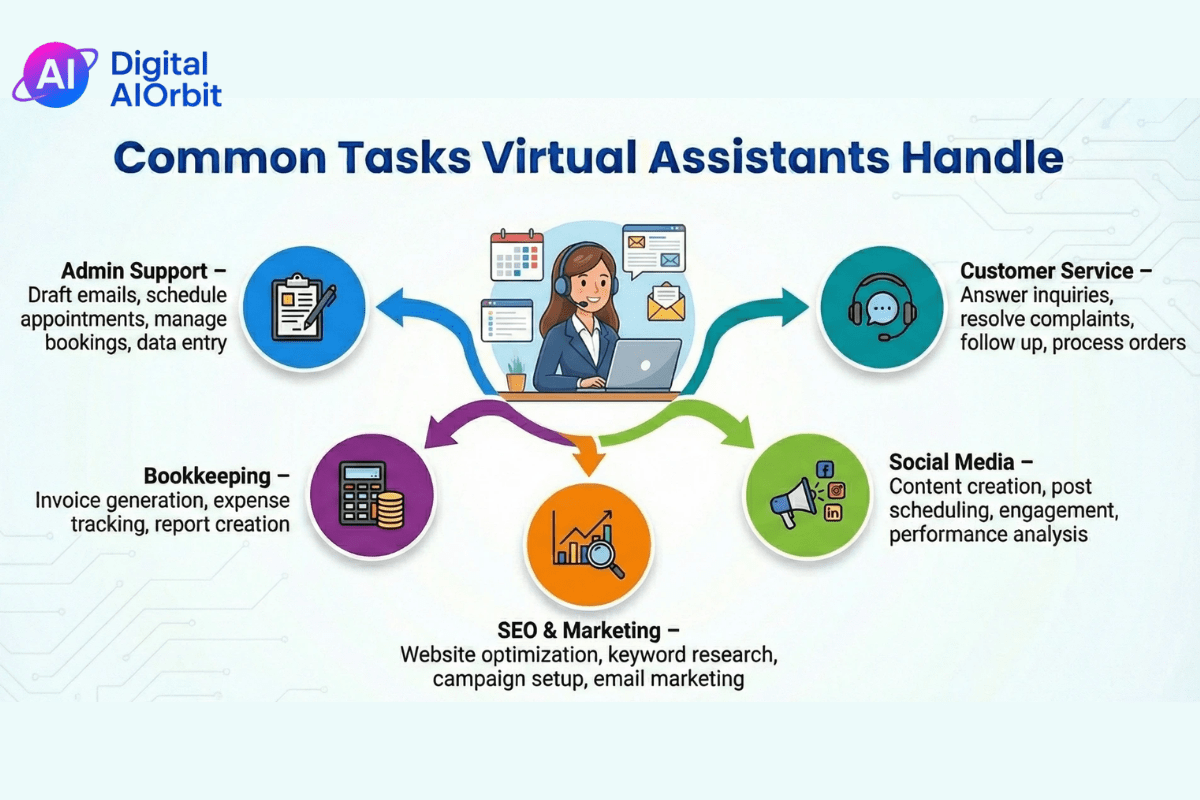
Virtual assistants take care of the everyday tasks that bog down small business owners. This lets owners focus on important things like selling and customer service. It’s not the most exciting work, but it’s super helpful. For instance, you could sort through emails, answer easy questions, and point out the important stuff.
Another thing they do is schedule social media posts. Imagine you’re working for a coffee shop. You could plan posts about the daily deals, upload photos, and see how well those posts are doing using tools such as Buffer or Hootsuite. Customer support is also huge: answering chats, dealing with returns, or following up on orders over email or phone.
Bookkeeping basics, like tracking expenses in QuickBooks or sending invoices, are common tasks. Updating a CRM system, such as adding new leads to HubSpot to nurture them, is also needed. These jobs aren’t that hard if you pay attention to detail.
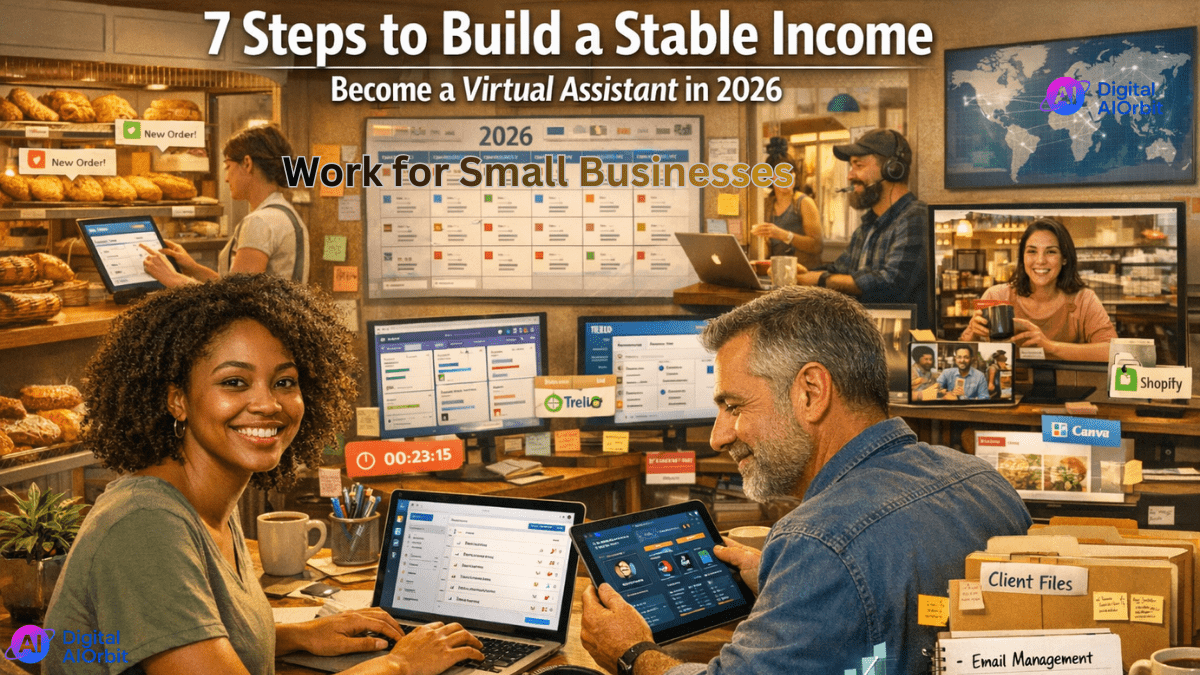
Think about a small bakery owner who’s too busy baking and serving customers. They hire you to manage online orders, answer Google reviews, and set up deliveries. You do it all from your home, with a weekly Zoom check-in. It’s simple help that really matters, and since more businesses are getting online, this kind of support will be even more in demand in 2026.
Here’s a breakdown of common VA responsibilities:
| Category | Common Tasks | Tools Often Used |
|---|---|---|
| Email Management | Sorting inbox, responding to basic inquiries | Gmail, Outlook |
| Calendar Management | Scheduling meetings, reminders | Google Calendar, Calendly |
| Social Media Support | Posting content, replying to comments | Canva, Buffer, Meta Business Suite |
| Customer Support | Answering FAQs, tracking orders | Zendesk, Shopify |
| Administrative Tasks | Data entry, document formatting | Google Docs, Excel |
| Basic Bookkeeping | Tracking expenses, invoices | QuickBooks, Wave |
Why Small Businesses Will Need Virtual Assistants in 2026
Small businesses are getting used to remote work, which is good news for virtual assistants (VAs). About 25% of work is done remotely, and it’s expected to stay that way for a while. So, business owners are okay with working online and realize it’s helpful to hire remote workers.
Also, more small businesses are popping up online. E-commerce is doing great, so more people are opening shops on sites like Shopify or Etsy. But doing it all themselves can be exhausting, so they hire
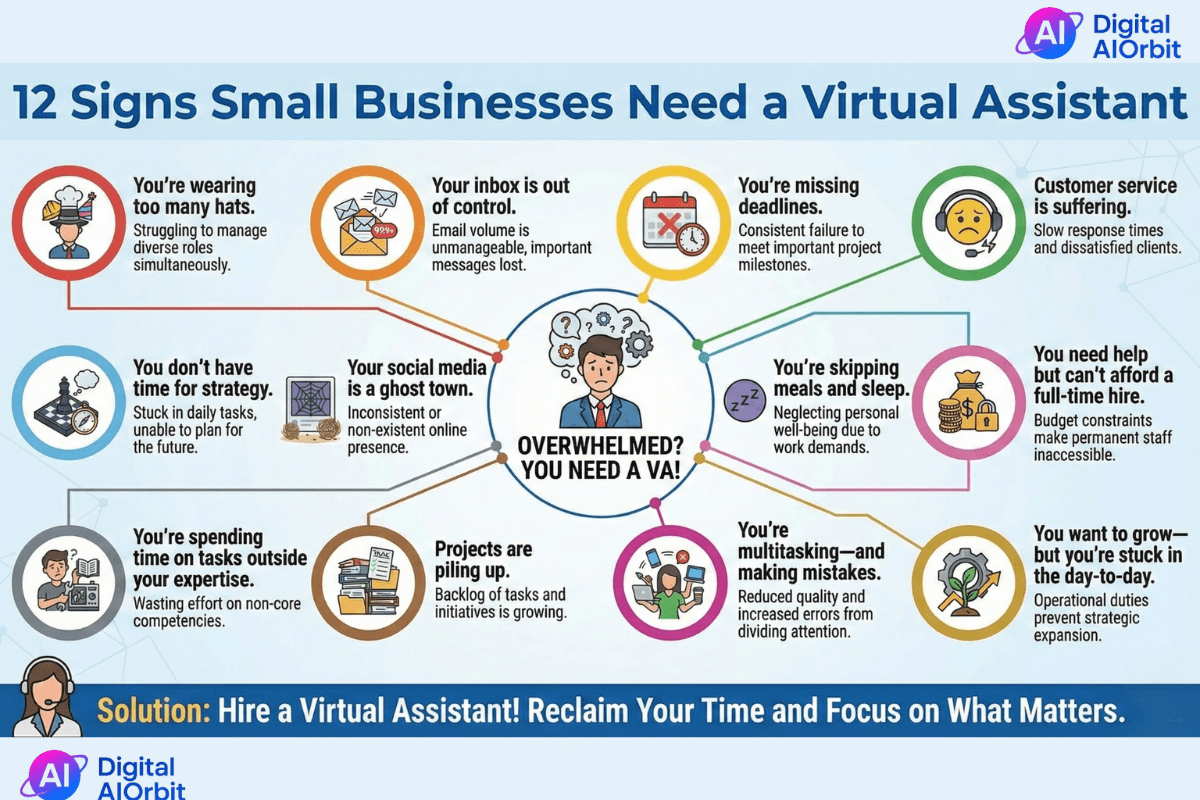
tive because they can focus on specific tasks. Government stats show that remote jobs are growing in fields like admin and support.
Basically, as small businesses face budget issues and need more help online, VAs are a smart and cheap way to grow without spending too much.
How to Become a Virtual Assistant for Small Businesses in 2026
(Step-by-Step Guide)
So, you wanna be a VA? It’s not gonna happen overnight, but you can get there by learning some skills and meeting the right folks. Here’s a 7-step plan to get going and help small biz owners.
1. Figure Out What You’re Good At
Make a list of your strengths. Are you good at keeping things organized? Do you know your way around tech stuff like Google Workspace? Did you do customer service in a past gig? Be real—small biz people want someone they can depend on, not a know-it-all.
Like, if you kept your family’s calendars straight, you already know about managing schedules. Write down like 5-10 things you’re good at, and see what VA jobs they fit. This way, you know what you can do now and what you need to learn.
2. Pick What You Want to Do
Start by offering 3-5 things. Small biz clients usually need help with email, social media posts, basic stuff like entering data, or just doing some simple searching. Don’t try to do everything at once; it’s too much.
For example, if you’re just beginning, try doing social media for shops nearby—making content calendars and posting updates. It’s not too hard, and you can get good at it.
3. Learn the Tools
Learn how to use the free or cheap tools that VAs use all the time. Get started with Google Drive for sharing files, Trello or Asana for keeping track of tasks, and Calendly for setting up appointments. Use time trackers like Toggl to show clients how long you worked.
Take a week to practice. Watch YouTube tutorials—they’re free and easy to follow. By 2026, knowing this stuff will make you way more likely to get hired since businesses will want VAs who can jump right in.
You don’t need expensive certifications. But you do need familiarity with basic tools.
Core tools to know in 2026:
| Tools | Purpose | Free Option Available? |
|---|---|---|
| Google Workspace | Docs, Sheets, Calendar | Yes |
| Trello / Asana | Task management | Yes |
| Canva | Basic graphics | Yes |
| Calendly | Scheduling | Yes |
| Zoom | Meetings | Yes |
| QuickBooks / Wave | Bookkeeping | Wave offers a free version |
Spend one week practicing.
Create:
- A mock content calendar
- A sample invoice
- A Trello board
- A shared Google folder
You don’t need mastery. You need comfort.
4. Make a Simple Portfolio
Put together a basic website to show off what you can do. Use a free site like Google Sites or Carrd. Include stuff you’ve done: a sample email you wrote, a fake social media plan, or a spreadsheet you made.
If you don’t have experience, make stuff up. If you want to work with small biz owners, make a portfolio page showing how you’d help a fake coffee shop with customer emails. Keep it simple and professional—clients want to know you can do the job.
5. Decide What to Charge
If you’re new, charge around $15-20 an hour to get clients. Or, offer packages, like $300 a month for 20 hours of admin help. Check out sites like Upwork to see what others are charging.
Think about where you live and what skills you have—don’t sell yourself short, but stay competitive. Small biz owners want affordable help, so start cheap and raise your rates as you get good feedback.
Beginner VA rates in 2026 typically range between:
| Experience Level | Hourly Rate |
|---|---|
| Beginner | $15–$22/hour |
| Intermediate | $22–$35/hour |
| Specialized VA | $35–$60+/hour |
If you’re just starting, pricing around $18–$20/hour is reasonable in many markets.
You can also offer monthly retainers:
| Monthly Hours | Suggested Starter Rate |
|---|---|
| 10 hours | $180–$220 |
| 20 hours | $360–$440 |
| 40 hours | $720–$880 |
Avoid pricing too low. Extremely cheap rates attract difficult clients and create burnout.
6. Find Your First Client
Hit up LinkedIn or Facebook groups for small biz owners. Post about what you offer: Helping busy people with email and scheduling—hit me up!
Join places like Upwork or Fiverr, but try to find small biz owners by looking at local directories. Offer a free hour to show them what you can do. It might take a few weeks, but keep at it.
7. Do Great Work and Keep Clients
Once you get hired, make sure to talk to your clients clearly—send daily updates by email or Slack. Finish your work on time and ask them what they think. If you want them to stick around, suggest ways to make their lives easier, like making a task automatic.
Aim to make friends with your clients; happy clients will send more people your way. Keep track of what you’re doing each month so you can get better.
Identify Your Transferable Skills
Before you start learning new tools or applying for jobs, pause.
What are you already good at?
Most people underestimate their experience.
Have you:
- Managed a household schedule?
- Worked in customer service?
- Handled emails at a previous job?
- Used Excel or Google Sheets?
- Created social media posts?
Those are transferable skills.
Make a simple list like this:
| Skill | Where You Learned It | How It Applies to VA Work |
|---|---|---|
| Organization | School / Personal life | Calendar management |
| Communication | Retail job | Customer email replies |
| Social media posting | Personal account | Business content scheduling |
| Basic spreadsheets | Previous job | Expense tracking |
You don’t need to be an expert. You just need to be competent and willing to improve.
Case Study – Real-World Example of a Beginner Virtual Assistant
Let me tell you about Sarah. She’s 28, just got her communications degree, but hadn’t worked in an office before. She was doing retail part-time and wanted something with more give. So, back in early 2026, she checked out VA work after hearing about ways to work remotely.
Sarah went step-by-step: She figured out she was good at writing and staying organized in school. Then offered help with stuff like emails and social media posts. She got the hang of some programs with free classes online, and even threw together a simple portfolio on Canva with some examples.
She started asking for $18 an hour and posted in some local Facebook groups for businesses. Her first gig was helping a small online store owner drowning in customer questions. Sarah started with 10 hours a week, sorting through emails and answering the easy stuff.
In half a year, she went from making $720 a month to $1,800. She got two more people as clients and asked for $22 an hour. She learned a few things, like setting limits on when she would work, so she wouldn’t burn out. And she made sure to always double-check what people wanted to avoid mix-ups. It’s nothing fancy, but Sarah makes good money now and likes that things are different every day.
How Much Can You Earn as a Beginner Virtual Assistant?
If you’re just starting out, don’t expect to make a ton of money right away. You’ll probably start around $15-20 an hour, but most new VAs get about $19-25. That could be $1,200-2,000 each month if you work part-time (20-30 hours a week).
Some people pay a monthly fee, like $400-800, for regular help. Or, for small tasks, like getting a newsletter set up, you might make $100-300.
What you can make depends on what you’re good at, where you live, and who you work for. If you’re good at special stuff, like bookkeeping, you can charge more, maybe $25-30 an hour after you’ve been doing it a while. In the U.S., full-time VAs make around $50,000 a year, but when you are new to this, you could make $30,000-40,000. Start slow and try to be valuable instead of just chasing fast money.
Income depends on:
- Hours worked
- Skill level
- Niche specialization
- Client quality
Here’s a realistic breakdown:
| Work Type | Monthly Income Estimate |
|---|---|
| Part-Time (20 hrs/week @ $20/hr) | ~$1,600 |
| Part-Time (30 hrs/week @ $22/hr) | ~$2,640 |
| Full-Time (40 hrs/week @ $25/hr) | ~$4,000 |
| Specialized VA (Full-time @ $40/hr) | ~$6,400 |
Beginners often earn $1,000–$2,000 monthly at first.
Growth comes from:
- Raising rates
- Specializing
- Improving efficiency
- Adding retainers
This isn’t instant wealth. It’s a steady, scalable income.
Common Mistakes New Virtual Assistants Make
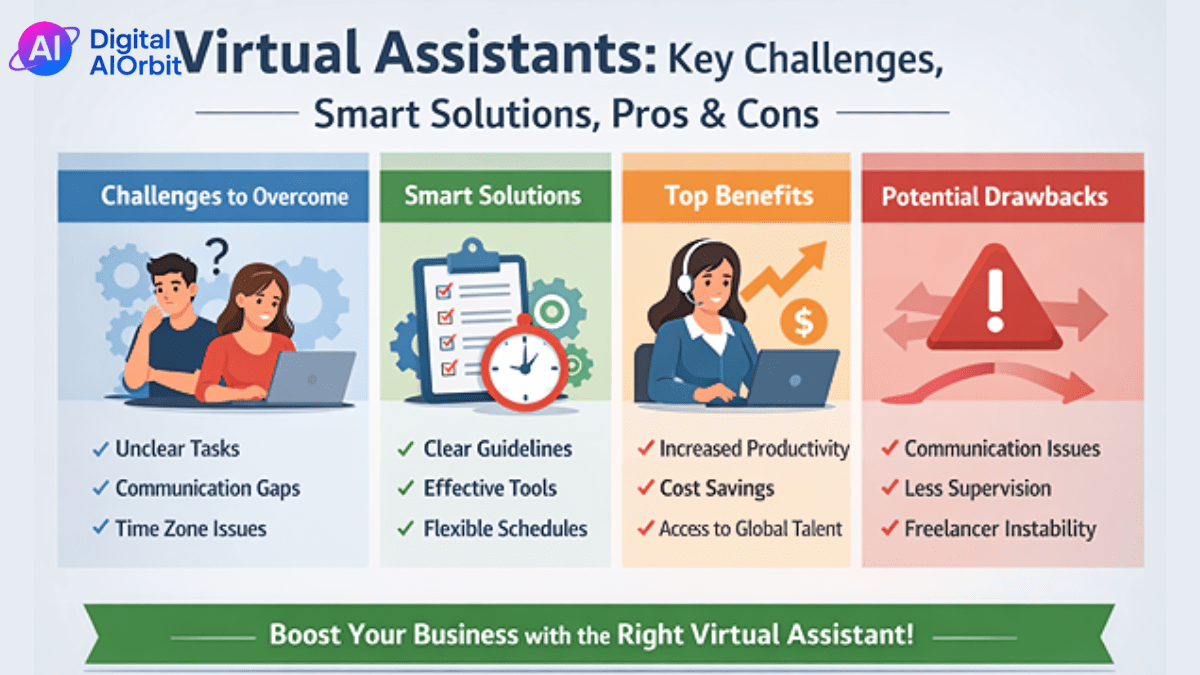
New VAs often charge too little, like $10 an hour, thinking it’ll get them clients. But it makes your time seem worthless and attracts difficult people. Just ask for decent rates right away.
If you offer too many things, you’ll get worn out. Just focus on what you’re good at instead of agreeing to do everything.
If you don’t set limits, you’ll end up overworked—clients might think you’re available all the time. Put your work hours in the contract.
Bad talking wrecks things: if you don’t give updates on time, clients get annoyed. Use stuff like email updates to keep things clear.
How to Get Your First Client
(Action Plan)
Okay, let’s do this!
First, get yourself an Upwork or LinkedIn profile going— list all your skills.
Next, write a short description of what you do like: Dependable virtual assistant for small businesses—I can handle email, scheduling, and social media for $18 an hour.
Then, shoot an email or message to 10 local businesses. Something like: Hey, I’ve seen your business doing well. I was wondering if you need assistance with any admin tasks? I’m happy to do a free trial hour.
Give them a free sample of your work, like organizing their inbox. Then, follow up nicely. It might take a few weeks, but doing this will help you jump into action.
Conclusion
Being a virtual assistant for small biz in 2026 isn’t hard—but you gotta be consistent. You don’t have to be amazing at everything. Just kick things off with what you’re already good at and go from there.
Small businesses aren’t after perfection. They want someone they can count on. Someone who talks clearly. Someone who gets stuff done without having to be watched all the time. If you can handle that, you’re already way ahead.
Begin small. Offer a few things. Learn the main tools. Price yourself fairly. Do great work for your first client. That one client can turn into more clients, long-term deals, and a regular paycheck.
It won’t happen super fast. But it can totally happen.
If you want to set your own hours, work from anywhere, and make more money, becoming a virtual assistant might be one of the smartest things you do this year.
Frequently Asked Questions(FAQs)
Do I need experience to become a virtual assistant?
Nope, you don’t need past experience to be a VA, but if you’re good at certain things, it helps. Loads of newbies used to work in stores, teach, or even stay home with kids. If you’re good at keeping things in order and talking to people, you’re set. Ever deal with angry shoppers? That’s the same as doing emails for a business. Just learn basic stuff like Google tools with free lessons online. Sites like Upwork have easy jobs to get you started. Getting your first client might take a month or two, but if you stick with it and show off what you can do, you’ll get there even if you’ve never been a VA before.
Can I work part-time as a VA?
Yep, doing VA work part-time is totally doable and pretty common. Small businesses usually only need someone for like 10-20 hours a week. That means you can do it around other things, like another job or your family. You could run social media for a local gym in the evenings, post stuff, and answer questions. Just say when you’re free in your contracts so you don’t get swamped. Most VAs start doing it on the side and get more clients later on. These days, with all the remote tools we have, it works great—keep track of your hours so you get paid right.
What tools do small business VAs need?
Small business VAs mostly need simple, easy-to-use tools to get stuff done quickly. Start with Google Workspace for emails and papers, Asana or Trello to keep tabs on tasks, and Calendly for setting up meetings. Use a time tracker like Toggl to log your hours. If you’re doing something specific, like making graphics with Canva or keeping simple books with QuickBooks. Say you’re helping a little shop with orders, just use Shopify’s thingy dashboard along with the others. Most of these have free versions, and you can learn them in a weekend. Knowing these makes you a catch for clients who want to get going fast.
How long does it take to get the first client?
It usually takes 2-6 weeks to get your first client if you try hard. It all boils down to meeting people—post stuff in groups for businesses, fix up your Upwork profile, and just reach out. A new person emailed 15 small shops and offered a free tryout, and then got a job in three weeks. Make sure your pitch sounds good and says how you’ll make their life easier, like I’ll handle your emails, so you have more free time. Don’t sweat it if you get turned down; that’s normal. Keep track of what you’re doing each week so you can get better. Once you get one client and a good word, more will come fast.
Is virtual assistance still in demand in 2026?
For sure, everyone wants VAs right now, especially small businesses that want to save money. The market is looking to grow, and plenty of businesses are planning on hiring more people from outside. Since so many people are working from home, hiring VAs is the natural thing to do. Like, online stores always need help with chats because e-commerce is getting bigger. It’s not going away, and special VAs who do things like social media are hot commodities. If you concentrate on doing a good job, you’ll have options galore without the hype.
If turning into a virtual assistant for small businesses feels right, just do one thing at a time. Just think about your skills, practice the basics, and touch base thoughtfully. This is a great method to gain income while serving others. However, the key to getting things done is persistence rather than easy ways. Try this if it fits together with your life. You may find this fulfilling.